

Worth the learning curve only if someone technical can build the workflows and volume justifies the monthly cost.Reviewed
What it does
A spreadsheet where each column pulls data from a different provider
Clay is a spreadsheet-like interface where each row is a lead or company, and each column can pull data from a different provider, automatically trying each one in sequence until it finds a match. This "waterfall enrichment" is the signature feature and meaningfully raises match rates on hard-to-find contacts versus using any single data source alone.
Beyond enrichment, it has an AI agent that can be given instructions to research a company or person and return structured findings into a cell, and it can trigger downstream actions like sending an enriched list into a CRM or firing a webhook.
It is powerful but not plug-and-play: building an effective workflow means understanding tables, formulas, waterfalls, and credit consumption.
Screenshot
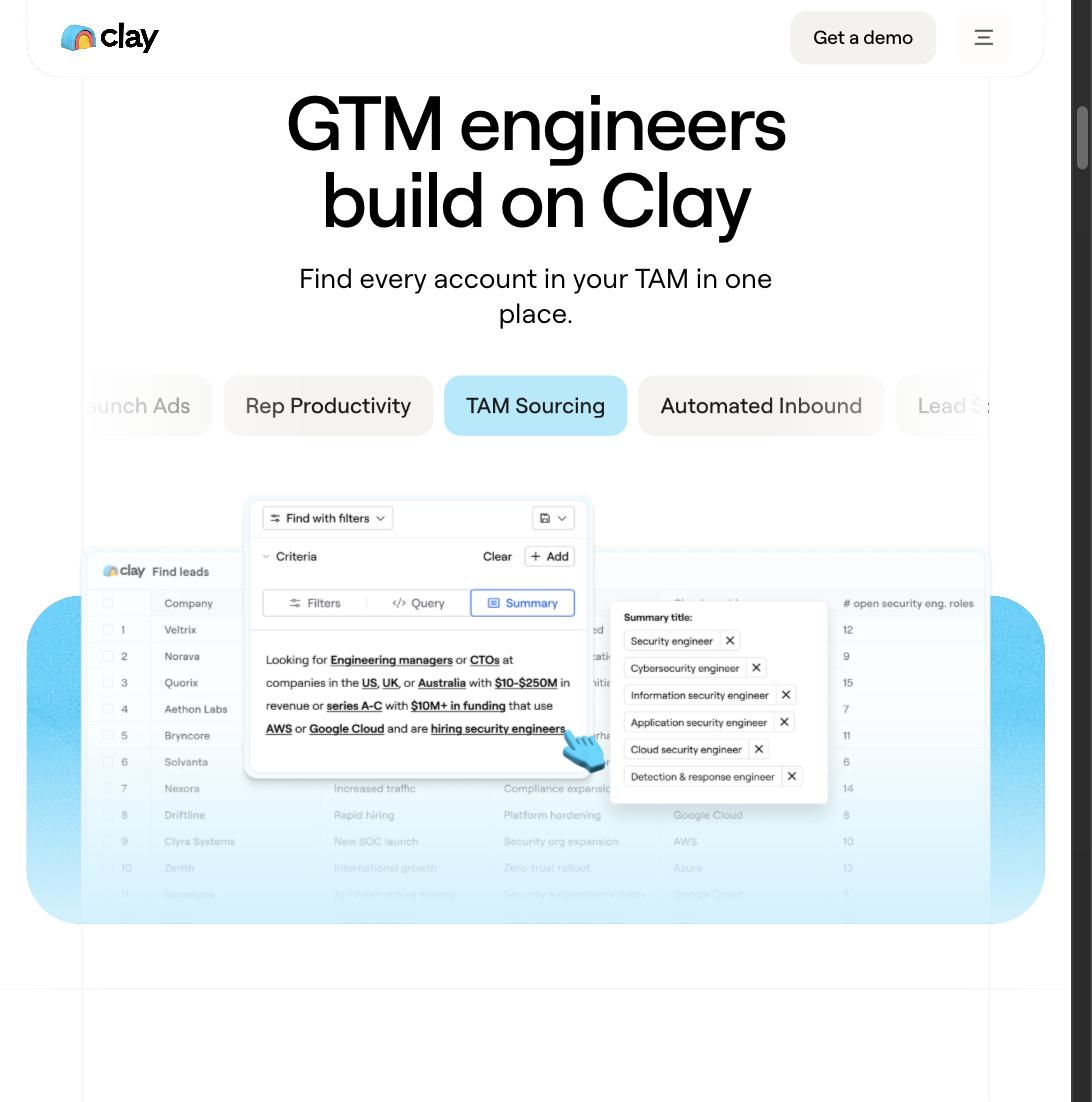
A look at the real Clay interface
A real "Find leads" table with filter criteria, and the "What do you want to build?" AI search bar, from Clay's own product pages.

Browse by category
Similar tools

More in Lead Generation


Browse similar tools